
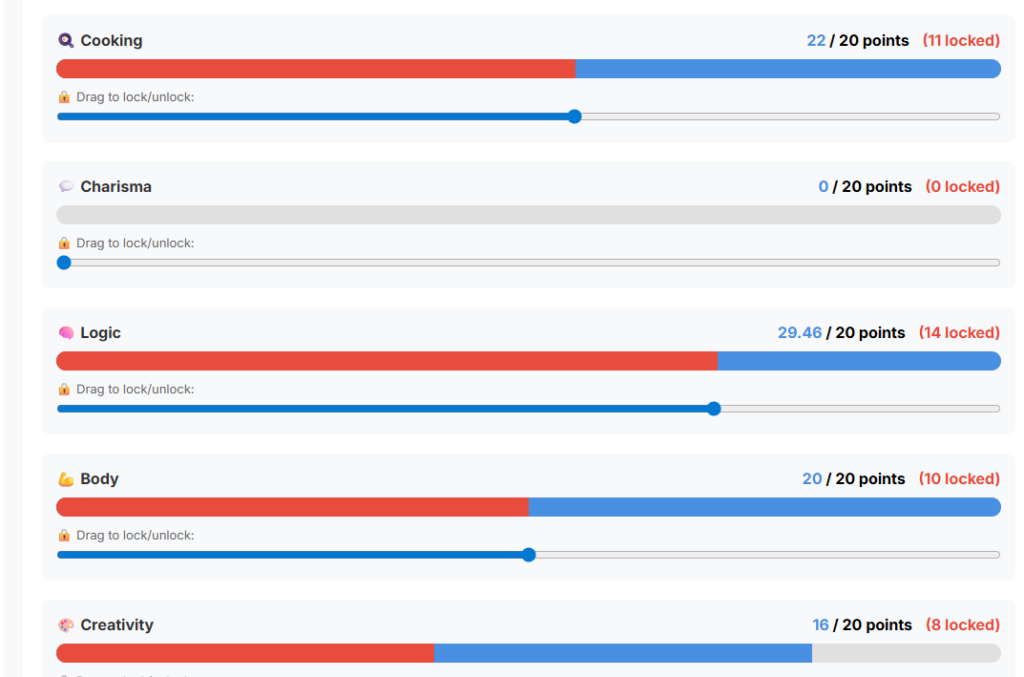
“This is what happens on skill locks when you change them on the dashboard under “Skill management”
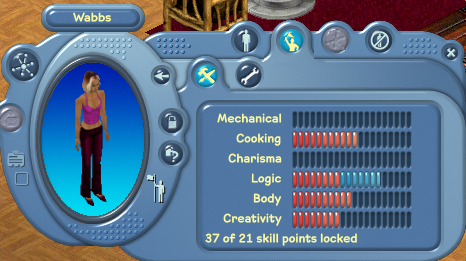
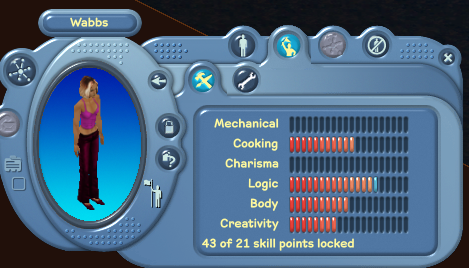
“I went back on dashboard and unlocked logic and cooking, saved it and now it shows correctly in game”
Fix: The sliders had no budget awareness
Each of the 6 skill sliders independently allowed values from 0 to 20. There was no code anywhere that tracked the running total across all 6 skills. So you could drag every slider to 20 and submit 120 locked points — even if you only had 21 in your budget. The UI showed your available lock points as a number, but it was purely cosmetic — nothing enforced it.
- The server didn’t validate the total either
When the form was submitted, the PHP backend only checked that each individual skill lock was between 0 and 20. It never added them up and never compared the sum to your skilllock budget from the database. So even if someone bypassed the UI entirely and crafted a raw POST request, the server would happily write whatever values they sent straight to the database.
Why the game showed 37 (or 43) when you only had 21
The in-game client reads the lock_* columns from the database and sums them up. Since the dashboard was writing inflated values with no budget check, the total in the database was far over your actual budget. The game just displayed what was stored. Because the game then enforces locks based on those stored values, it was locking more skill growth than you were entitled to.
In short: the available lock points number on the dashboard was just a label — neither the sliders nor the server ever actually used it to limit what you could save.