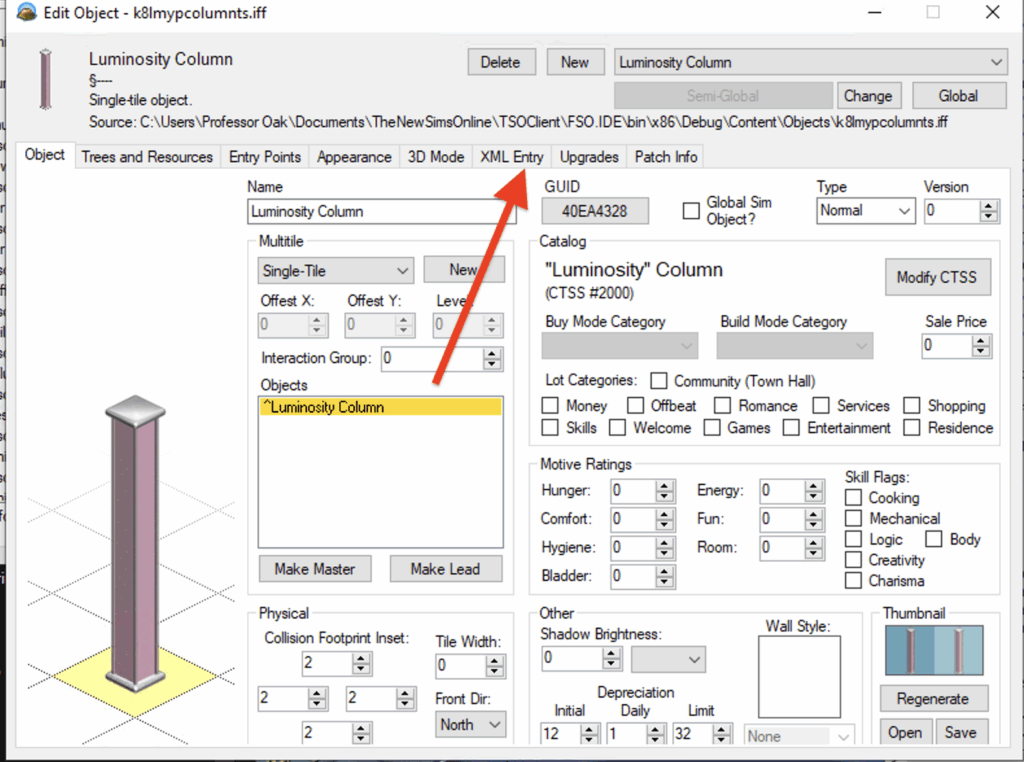
To add objects to the catalog you need to open the object in volcanic then head over to the XML Entry tab
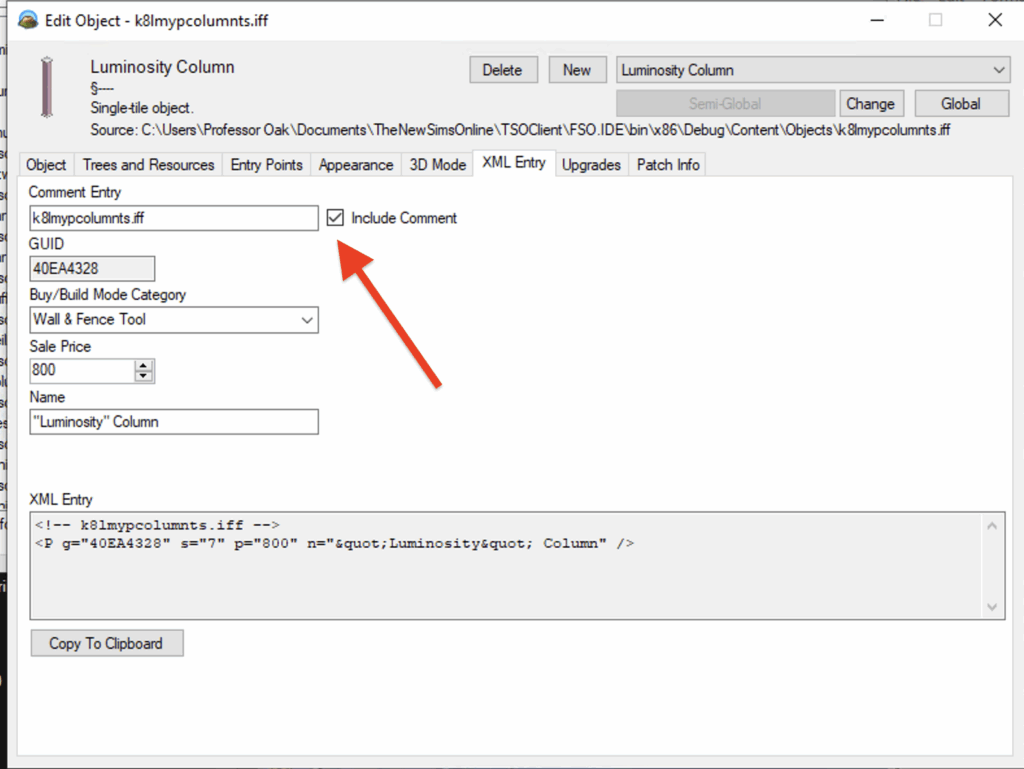
After you have navigated to the XML Entry tab the part that needs to be added to the Catalog is the “XML Entry” area. The XML entry then needs to be downloaded to the Content\Objects\catalog_downloads.xml on the server host computer. The GUID needs to be unique to the object or the server will fail to launch when starting as it scans the catalog for duplicates. The Buy/Build Mode Category is what area in the in game catalog the Object will show up in.